Open Source · v1.0.0 · MIT License

Give any AI agent
a real browser

AgentBrowser is an open-source browser automation platform designed to be the hands and eyes of AI agents. Control real browsers via REST API, with Vision AI that lets LLMs see and understand web pages.

Get Started View Source
3
Browser Engines
25+
Browser Actions
8
REST Endpoints
100%
TypeScript
Built for AI Agents
Not a testing tool. A browser that AI agents can see, understand, and control through a clean REST API.
🌐

Multi-Browser Support

Chromium, Firefox, and WebKit via Playwright. Switch between engines per session with full configuration for viewport, proxy, user agent, locale, and timezone.

👁

Vision AI System

Screenshots, simplified DOM trees, accessibility trees, and interactive element detection. Everything an LLM needs to understand a page and decide what to do next.

🔗

REST API

8 clean JSON endpoints for session management, 25+ browser actions, vision snapshots, cookies, and action logs. Compatible with any LLM, CLI, or SDK.

🔒

Session Persistence

Cookies, localStorage, and browser state are preserved across requests and sessions. Agents can pick up exactly where they left off.

📡

WebSocket Real-Time

Live events for actions, screenshots, and session changes via Socket.IO. Build reactive dashboards and responsive AI agent loops.

💻

Web Dashboard

Professional dark-themed UI with session sidebar, live screenshot preview, action executor, Vision AI panel, and complete action log viewer.

See It In Action
A professional dashboard for monitoring and controlling browser sessions in real-time.
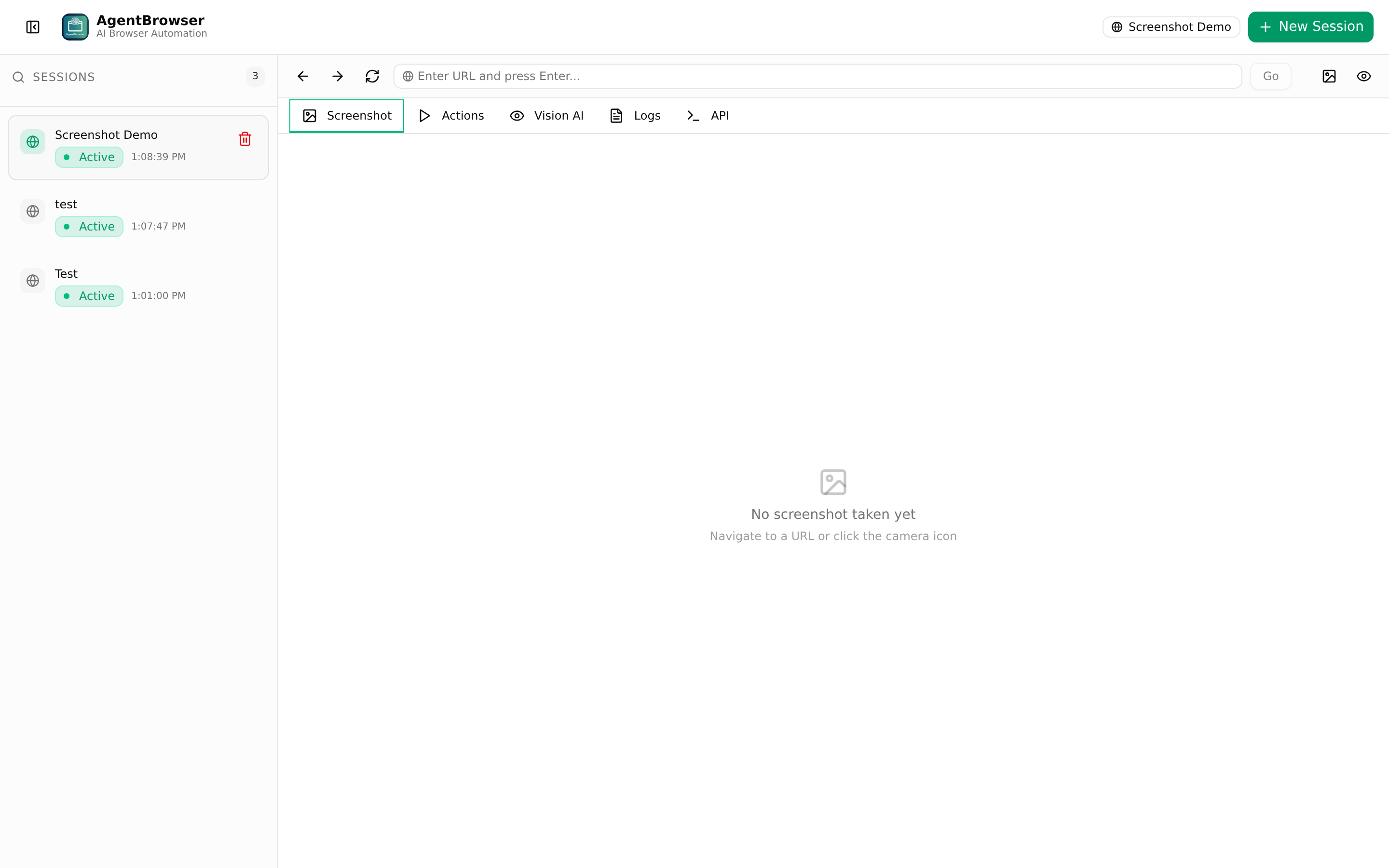
AgentBrowser browsing Wikipedia
Live Browsing — Real browser sessions with live screenshots and navigation controls
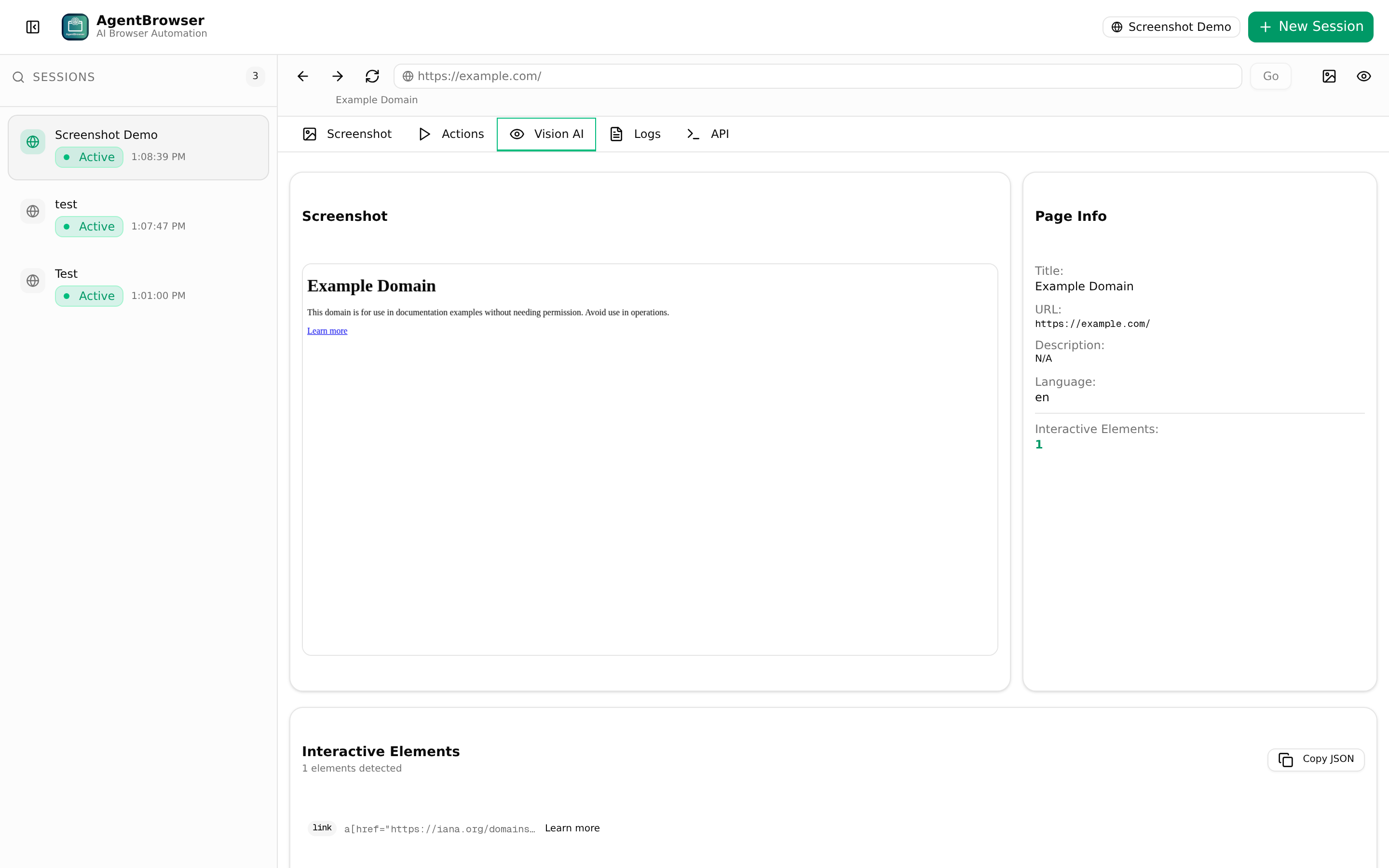
Vision AI Panel
Vision AI — Screenshot, interactive elements, accessibility tree, and page metadata for LLMs
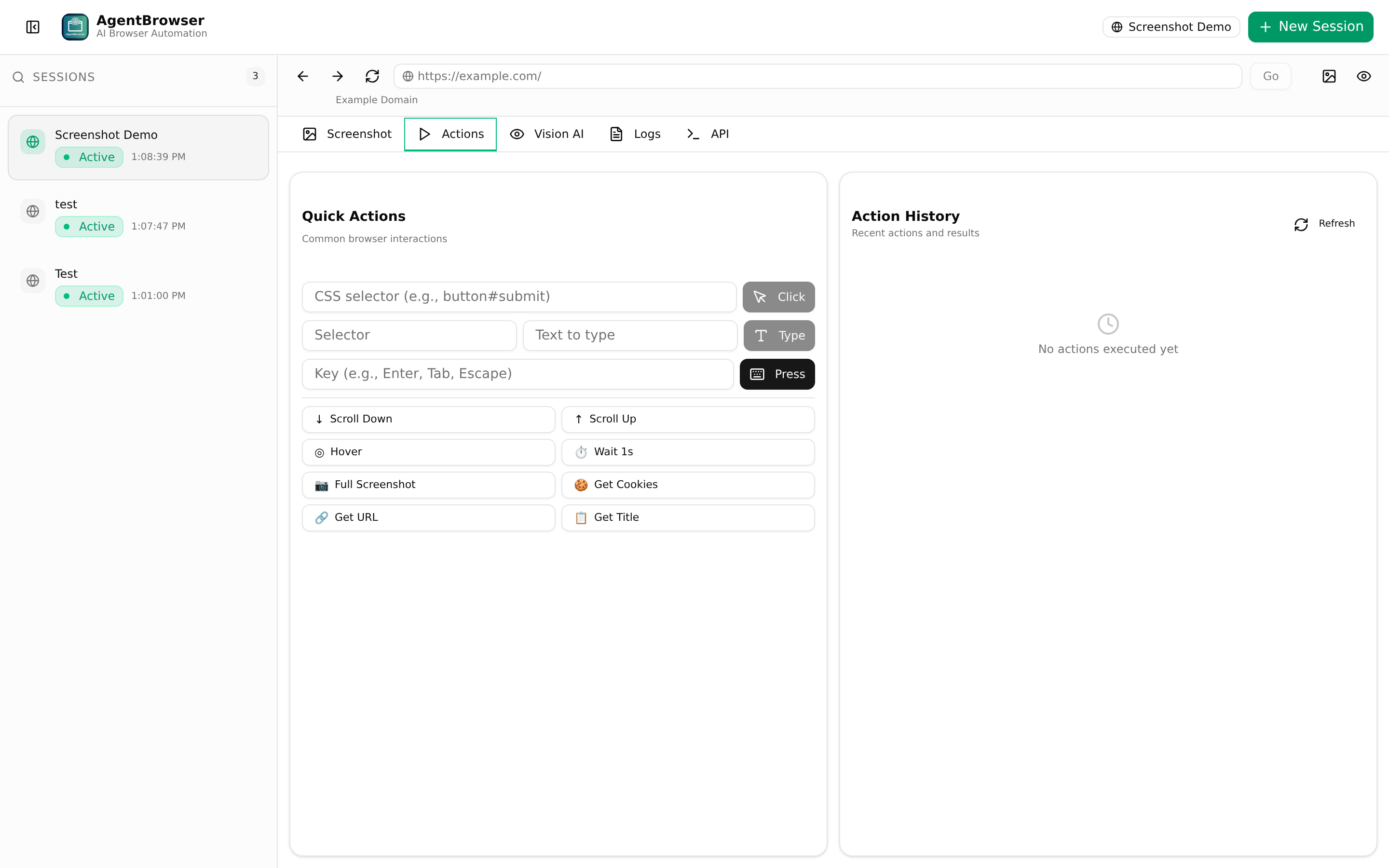
Actions Panel
25+ Actions — Click, type, scroll, wait, evaluate JS, manage cookies, and more
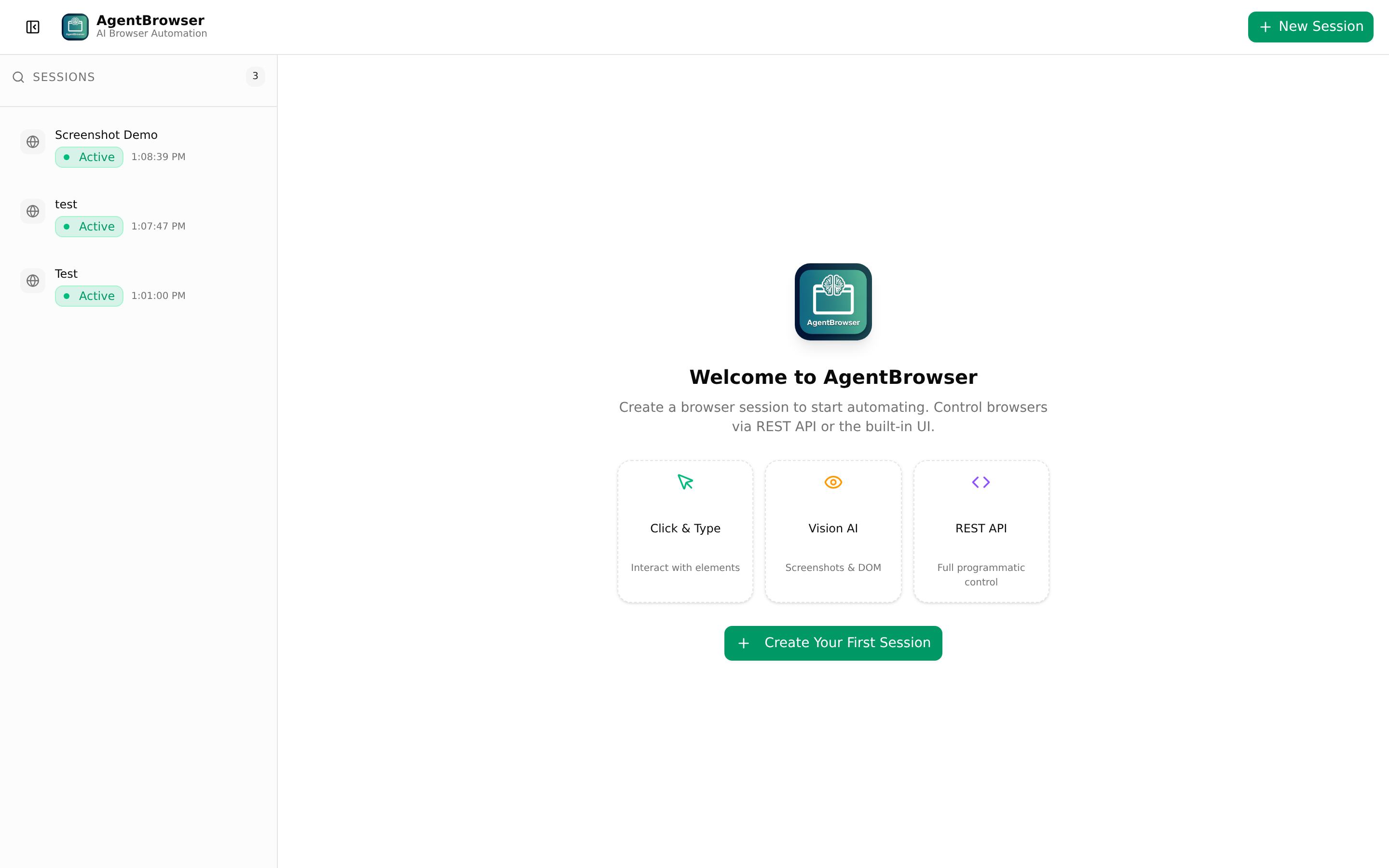
AgentBrowser Dashboard
Web Dashboard — Professional dark-themed UI with session management sidebar
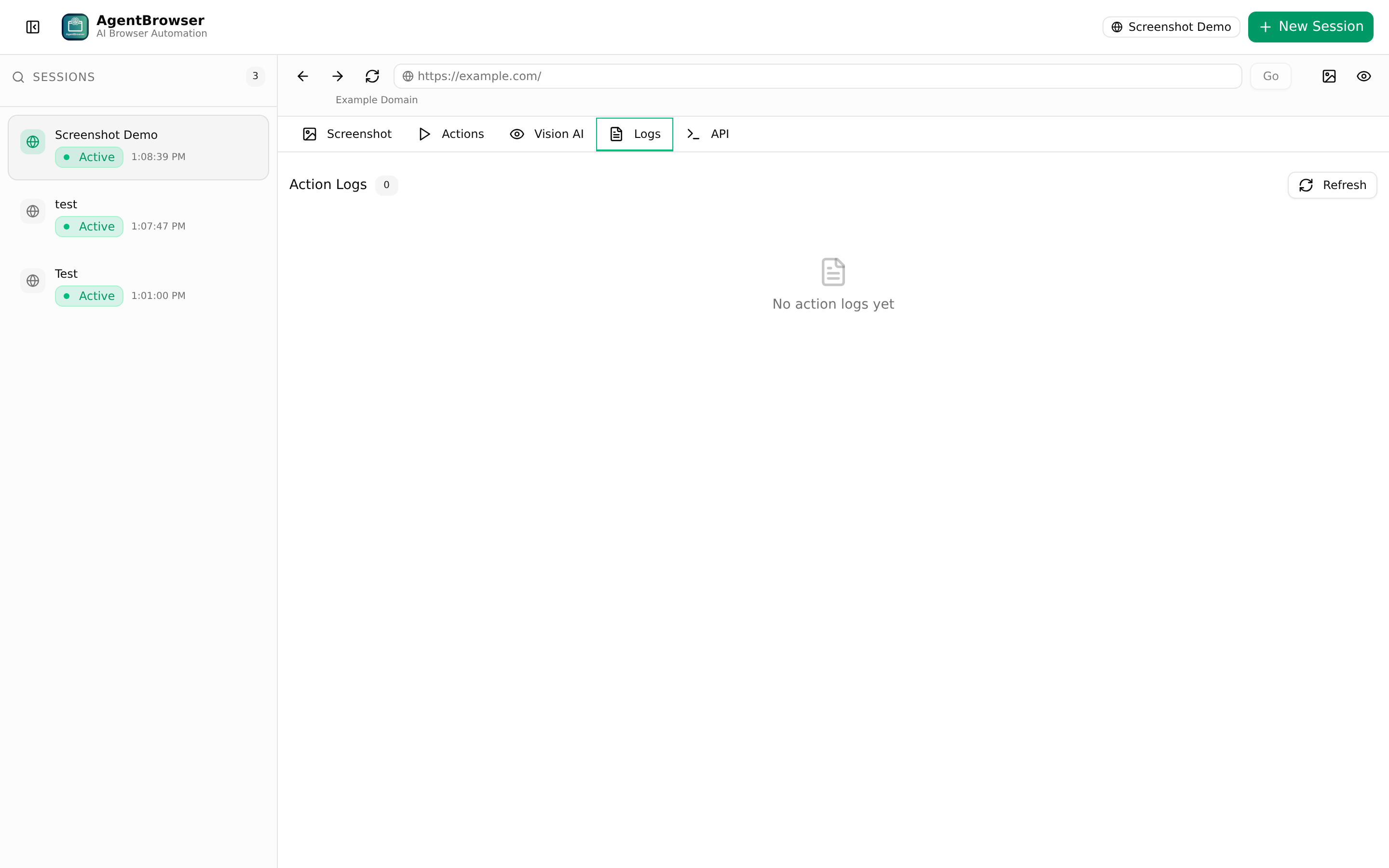
Action Logs
Action Logs — Every browser action recorded with timing and results
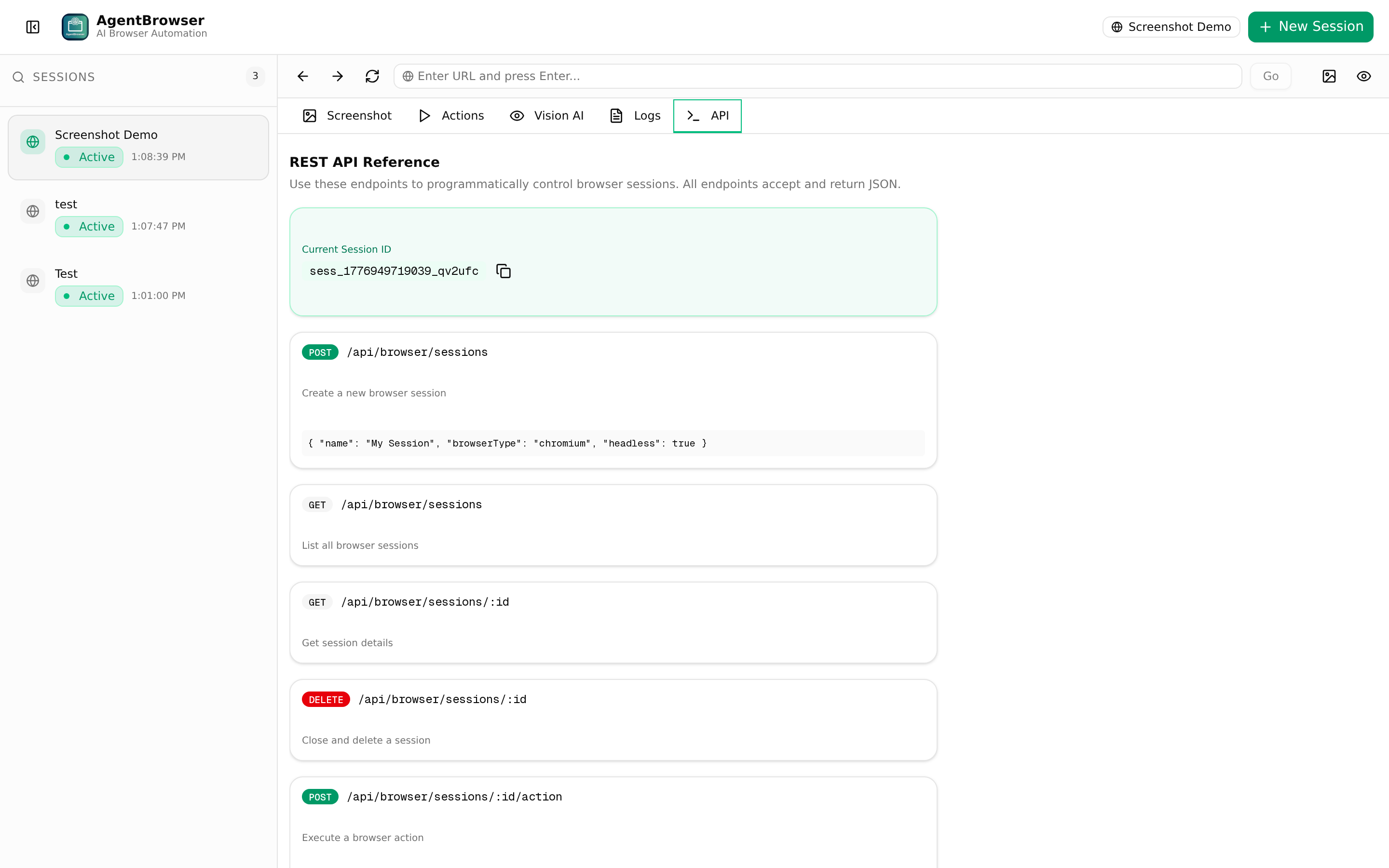
API Reference
API Reference — Built-in endpoint documentation and curl examples
Quick Start Guide
Get AgentBrowser running in under 2 minutes. Zero configuration needed for local development.
1

Clone & Install

Clone the repository and install dependencies. Playwright browsers are installed automatically.

# Clone the repository
git clone https://github.com/smouj/agent-browser.git
cd agent-browser

# Install dependencies & setup
bun install
bun run db:push
bunx playwright install chromium
2

Start the Server

Run the development server. The dashboard will be available at port 3000.

# Development mode (hot reload)
bun run dev

# Production mode
bun run build && bun run start
3

Create a Browser Session

Create a session via the REST API or the web dashboard. Each session gets its own isolated browser context with persistent cookies and storage.

curl -X POST http://localhost:3000/api/browser/sessions \
  -H "Content-Type: application/json" \
  -d '{
    "name": "my-agent-session",
    "browserType": "chromium",
    "headless": true
  }'
4

Navigate & Interact

Navigate to any URL, click elements, type text, scroll, take screenshots, and execute JavaScript — all via simple REST calls.

# Navigate to a page
curl -X POST http://localhost:3000/api/browser/sessions/{id}/action \
  -H "Content-Type: application/json" \
  -d '{"action":"navigate","target":"https://news.ycombinator.com"}'

# Get Vision AI snapshot
curl -X POST http://localhost:3000/api/browser/sessions/{id}/vision \
  -H "Content-Type: application/json" \
  -d '{}'
5

Connect Your AI Agent

Define AgentBrowser as a tool in your LLM's function-calling schema. The agent can create sessions, navigate, observe pages via Vision AI, and execute actions autonomously. See the Integration Guide below for OpenClaw, Hermes, and custom agent examples.

AI Agent Integration Guide
Connect AgentBrowser to any AI agent framework. Here are step-by-step guides for the most popular platforms.

OpenClaw

OpenClaw is an open-source AI agent framework that uses tool-calling to interact with external services. AgentBrowser integrates as a set of browser control tools.

Step-by-step setup:
  1. Start AgentBrowser: bun run dev (default: http://localhost:3000)
  2. Create a tool definition file in your OpenClaw project (tools/browser.yaml):
# tools/browser.yaml
name: browser_navigate
description: "Navigate the browser to a URL"
endpoint: "http://localhost:3000/api/browser/sessions/{session_id}/action"
method: POST
parameters:
  session_id:
    type: string
    description: "Active browser session ID"
  action:
    type: string
    default: "navigate"
  target:
    type: string
    description: "URL to navigate to"
  1. Register tools for all actions: browser_click, browser_type, browser_vision, browser_screenshot, browser_scroll, etc.
  2. Create a session at agent startup and pass the session_id to all tool calls
  3. Use the Vision AI tool (/vision endpoint) to let the agent "see" the page before deciding what to do
  4. Close the session when the agent's task is complete via DELETE /sessions/{id}
💡 Tip: Define a browser_create_session tool so the agent can manage its own browser lifecycle autonomously.

Hermes

Hermes is a modular AI agent runtime that supports MCP (Model Context Protocol) servers. AgentBrowser can be exposed as an MCP server for native integration.

Step-by-step setup:
  1. Install and start AgentBrowser: bun run dev
  2. Add the MCP server configuration to your Hermes config file (hermes.config.yaml):
# hermes.config.yaml
mcp_servers:
  agentbrowser:
    type: "rest"
    base_url: "http://localhost:3000/api/browser"
    tools:
      - name: "create_session"
        path: "/sessions"
        method: "POST"
        description: "Create a new browser session"
      - name: "execute_action"
        path: "/sessions/{session_id}/action"
        method: "POST"
        description: "Execute a browser action"
      - name: "get_vision"
        path: "/sessions/{session_id}/vision"
        method: "POST"
        description: "Get AI vision snapshot of page"
      - name: "close_session"
        path: "/sessions/{session_id}"
        method: "DELETE"
        description: "Close a browser session"
  1. Restart Hermes to load the new MCP server
  2. Ask Hermes to browse the web: "Go to Hacker News and find the top 5 stories about AI"
  3. Hermes will: Create a session → Navigate → Get vision snapshot → Read interactive elements → Extract data → Close session
💡 Tip: For persistent sessions across Hermes conversations, don't close the session — pass the session_id to the next conversation.

Custom Python Agent

Build your own AI agent with any LLM (OpenAI, Anthropic, Ollama, etc.) using the REST API. Here's a complete working example.

import requests

BASE = "http://localhost:3000/api/browser/sessions"

# 1. Create session
s = requests.post(BASE, json={
    "name": "python-agent",
    "browserType": "chromium",
    "headless": True
}).json()
sid = s["id"]

# 2. Navigate
requests.post(f"{BASE}/{sid}/action", json={
    "action": "navigate",
    "target": "https://news.ycombinator.com"
})

# 3. Get vision (for LLM)
vision = requests.post(
    f"{BASE}/{sid}/vision", json={}
).json()

# 4. Pass vision.interactiveElements
#    to your LLM for decision-making
elements = vision["interactiveElements"]
for el in elements:
    print(f"{el['type']}: {el['text']}")

# 5. Clean up
requests.delete(f"{BASE}/{sid}")
💡 Tip: Combine with openai Python SDK to create a full autonomous agent loop: observe → think → act → repeat.

OpenAI Function Calling

Define AgentBrowser as an OpenAI tool-calling function. Compatible with GPT-4o, GPT-4, GPT-3.5-turbo, and any model that supports function calling.

# Define tools for your OpenAI agent
tools = [{
    "type": "function",
    "function": {
        "name": "browser_navigate",
        "description": "Navigate browser to URL",
        "parameters": {
            "type": "object",
            "properties": {
                "url": {"type": "string"}
            },
            "required": ["url"]
        }
    }
}, {
    "type": "function",
    "function": {
        "name": "browser_vision",
        "description": "See the current page",
        "parameters": {
            "type": "object",
            "properties": {
                "full_page": {
                    "type": "boolean",
                    "default": false
                }
            }
        }
    }
}]
💡 Tip: Add browser_click, browser_type, browser_screenshot, and browser_scroll tools for full page interaction.
Typical Agent Workflow
This is the observe-think-act loop that AI agents follow when using AgentBrowser.
① CREATE SESSION
POST /api/browser/sessions → Receive session_id
② NAVIGATE
POST /api/browser/sessions/{id}/action with {"action":"navigate","target":"https://..."}
③ OBSERVE (Vision AI)
POST /api/browser/sessions/{id}/vision → Get screenshot, DOM, interactive elements
④ THINK (LLM Decision)
LLM analyzes vision data → Decides next action (click, type, scroll, etc.)
⑤ ACT
POST /api/browser/sessions/{id}/action with chosen action and selector
↻ Repeat ③-⑤ until task complete
⑥ CLEANUP
DELETE /api/browser/sessions/{id} → Close browser, free resources
REST API Reference
8 endpoints covering session management, browser actions, vision, cookies, and logging.

Endpoints

Method Endpoint Description
POST /api/browser/sessions Create a new browser session
GET /api/browser/sessions List all sessions
GET /api/browser/sessions/:id Get session details
DEL /api/browser/sessions/:id Close and delete a session
POST /api/browser/sessions/:id/action Execute a browser action (25+ available)
POST /api/browser/sessions/:id/vision Get AI vision snapshot
GET / POST /api/browser/sessions/:id/cookies Get or set cookies
GET /api/browser/sessions/:id/logs Get paginated action logs

Supported Browser Actions

navigate goBack goForward reload click dblclick hover rightClick type press select scroll wait waitForSelector waitForNavigation screenshot evaluate getCookies setCookies clearCookies getLocalStorage setLocalStorage clearLocalStorage getUrl getTitle getContent
Architecture
Clean layered design separating the API layer from the browser engine, with event-driven communication.
Clients Layer
LLM Agents · CLIs · Web Dashboard · Custom Integrations
↓ REST API     ↓ WebSocket
Next.js API Routes
/api/browser/sessions/* · Input validation · Error handling
Browser Engine Layer
Session Manager · Action Executor (25+ actions) · Vision System (Screenshots, DOM, A11y Tree)
Playwright
Chromium · Firefox · WebKit
Persistence
SQLite (via Prisma) · Sessions · Action Logs
Tech Stack
Modern, production-ready technologies chosen for reliability, performance, and developer experience.
Next.js 16
Full-stack framework
TypeScript
End-to-end type safety
Playwright
Browser automation engine
Prisma
Type-safe ORM (SQLite)
Tailwind CSS 4
Utility-first styling
shadcn/ui
UI component library
Socket.IO
Real-time WebSocket
Zustand
State management
How AgentBrowser Compares
AgentBrowser is the most complete open-source solution for AI browser automation. Here's how it stacks up.

Feature Comparison

Feature AgentBrowser Browser Use Stagehand Playwright MCP
Self-hostedYesYesNo (cloud)Yes
REST API8 endpointsNoSDK onlyMCP only
Multi-browserChromium, Firefox, WebKitChromium onlyChromium onlyAll 3
Vision AIScreenshot, DOM, a11y, elementsScreenshot onlyDOM onlyNone
Session persistenceCookies, localStorage, DBMemory onlyNoNo
Web DashboardYes (dark theme)NoNoNo
WebSocket eventsYesNoNoNo
Browser actions25+LimitedLimitedBasic
Agent agnosticAny LLM / CLIPython onlyJS / PythonAny MCP client
LicenseMITMITCommercialMIT
DatabaseSQLite + PrismaNoneCloudNone
Why AgentBrowser?
AgentBrowser is the only open-source solution that combines a full REST API, Vision AI system, session persistence, WebSocket real-time events, AND a web dashboard — making it the most complete and production-ready platform for AI browser automation. Whether you're using OpenClaw, Hermes, OpenAI, Anthropic, or a custom agent framework, AgentBrowser gives your AI agent real eyes and hands on the web.

Other Notable Projects

LaVague (lavague.ai)
RAG-based approach, research-focused. No REST API, no session management.
Skyvern (skyvern.com)
Commercial cloud platform. No self-hosting, workflow-only approach.
WebVoyager (academic)
Research paper, not production-ready. Limited action set.